How to monitor a remote NUT UPS server with a custom watchdog script

Updated
9 min read
RSS feedIf you don’t care about the context, you can jump directly to the final solution.
A couple of weeks ago I started noticing something very annoying in my homelab. My mini PC running Proxmox VE, which is connected to the same UPS as my Synology NAS, was force-shutting down every single time there was a brief power blip, even when the battery was still at 99%. To make things worse, once the mini PC went down, it wouldn’t come back up. As soon as I rebooted it, it would shut itself down again within seconds, and the only way to stop the loop was to physically unplug its ethernet cable and boot it in isolation from the network. Not exactly what I want from a headless box in a rack.
In this article I’ll walk you through how I debugged this, what the actual root cause was so you won’t lose your time (spoiler: it’s because the custom UPS server Synology DSM uses), and how I ended up replacing nut-monitor with a tiny custom watchdog script that finally made my homelab behave the way I wanted during power outages. Let’s dive in!
My setup
First let me describe my setup to let you understand my context:
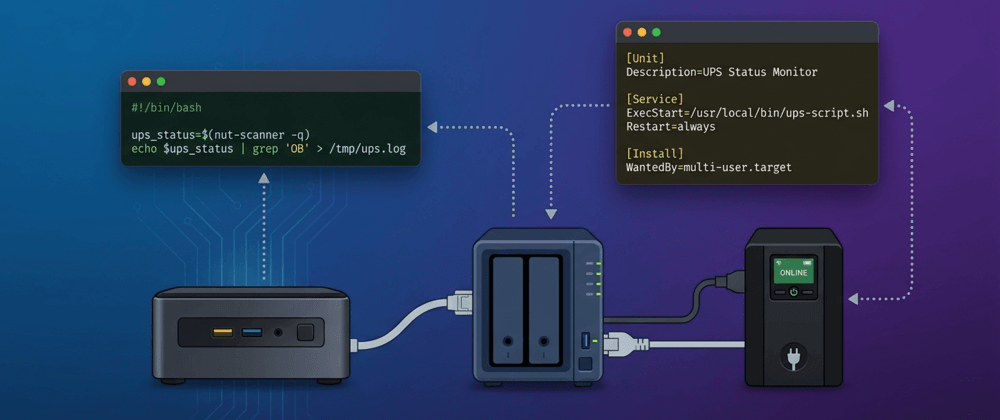
- I have a Synology NAS DS920+ with a CyberPower UPS physically connected to it over USB. Synology DSM runs its own NUT server (
upsd) and acts as the primary in the NUT topology. - Then I have a Beelink Ryzen mini PC running Proxmox VE on the same LAN and plugged into the same UPS. It was running
nut-monitoras a slave (or secondary, in newer NUT terminology), configured to read status from the Synology’s UPS server over the network.
The relevant MONITOR line in /etc/nut/upsmon.conf on the mini PC looked like this (the IP of the Synology is 192.168.1.7):
MONITOR [email protected] 1 monuser secret slaveThis is a very common homelab layout: one machine owns the UPS physically, others watch it over the network. It’s also the officially recommended pattern, so in theory everything should just work.
The symptom
The bug was as follows. Whenever there was a 2 second power blip at home (someone plugging in a high-draw appliance, for example), my Synology would keep running as if nothing happened (its battery threshold for shutdown is set to When battery is low, and we never got close to that), but my mini PC would immediately shut itself off. Checking journalctl on the mini PC afterwards, I’d see entries from nut-monitor saying:
[email protected]: forced shutdown in progressAnd as I mentioned, the most annoying part was that rebooting didn’t fix it. Every time I brought the mini PC back up, nut-monitor would reconnect to the Synology UPS server, then shut down again within seconds. The only workaround I had was to unplug the ethernet cable, boot the machine, log in, and then plug the ethernet back in. Not a solution for a headless server.
What the forced shutdown actually means
That forced shutdown in progress message is very specific. In NUT, every UPS has a ups.status field that can contain a set of flags. The ones that matter for this article are:
OL(On Line): UPS is running on mains power.OB(On Battery): UPS is running on battery because mains power is out.LB(Low Battery): battery is critically low and the UPS is about to die.FSD(Forced Shutdown): the UPS server is telling all its slaves to shut down right now, regardless of battery level.
When nut-monitor on a slave sees FSD in the UPS status, it triggers a local shutdown. That’s by design, and it’s meant to coordinate graceful shutdowns between the primary and its slaves during a real power outage.
So the question became: why was the Synology broadcasting FSD on a two-second power blip, when it wasn’t shutting itself down?
Discovering the root cause
Disabled the ups-monitor service on the mini PC (to avoid it shutting down as soon as it connects) and plugged back in the ethernet cable again. Then, I took a look at the UPS status:
upsc [email protected]I could still see ups.status: FSD OL hours after the power outage. OL means the UPS is back on mains already, but FSD was still set. That’s when it clicked: Synology DSM’s NUT implementation is more aggressive than a vanilla upsd. On any power event, it asserts FSD to its slaves almost immediately, before even evaluating its own battery threshold. And it takes a while to clear the flag afterwards, which also explains the post-reboot shutdown loop: my mini PC would come up, see the leftover FSD on the UPS status, and shut itself down again.
This is a known quirk of Synology’s NUT server, discussed in several homelab forums, and it’s not something you can turn off in DSM.
FSD flag is to go to DSM → Control Panel → Hardware & Power → UPS and toggle the UPS network server off and back on. That reinitializes the NUT daemon internal state and the flag goes away. Keep this in mind if you ever get stuck in the post-reboot shutdown loop.Why NOTIFYFLAG FSD ... does not help
The first thing I tried was to look for a way to tell nut-monitor to just ignore FSD. NUT has a NOTIFYFLAG mechanism in /etc/nut/upsmon.conf that lets you configure what happens on each event, and also a NOTIFYCMD hook to run your own script:
NOTIFYFLAG FSD     SYSLOG+WALL
NOTIFYFLAG ONBATT  SYSLOG+WALL+EXEC
NOTIFYFLAG LOWBATT SYSLOG+WALL+EXEC
NOTIFYFLAG ONLINE  SYSLOG+WALL+EXEC
NOTIFYCMD "/usr/local/bin/nut-notify.sh"
So I wrote a dummy nut-notify.sh that literally did echo "This is a test" and nothing else, just to test the script was actually ran when it should. But it didn’t work. The mini PC still shut down on FSD. Why?
Because upsmon has FSD handling hardcoded. NOTIFYFLAG and NOTIFYCMD are a notification hook, not a shutdown interceptor. Internally, when upsmon sees FSD in the UPS status it runs its own shutdown sequence immediately, completely bypassing any custom command you may have plugged in. There is no way to turn this off, short of patching NUT itself.
At that point it was clear I couldn’t make nut-monitor play nice with my Synology. I needed to replace it with something I fully control.
The solution: a small custom watchdog script
The plan was simple: disable nut-monitor entirely, and write a bash script that polls the UPS status every 30 seconds via upsc, and only triggers a shutdown if the conditions I actually care about are met. Specifically:
- The UPS reports
OBand battery charge is at or below 30% (my own threshold, independent of what the UPS thinks). - Or as a safety net:
- The UPS reports
OB LB(on battery, low battery), which is a legitimate low battery situation. - The connection with the Synology UPS server was lost for a while.
- The UPS reports
The FSD flag is ignored. Only if at least one of the three above conditions is meet the mini PC will shut down. This is the key. And to handle real outages where the Synology itself or my network goes offline, the script also counts consecutive communication failures and shuts down if the UPS server stays unreachable for too long.
So let’s proceed with this solution. First, write a watchdog script to /usr/local/bin/ups-watchdog.sh:
#!/bin/bash

UPS="[email protected]"
MIN_BATTERY=30
CHECK_INTERVAL=30
# The Synology NAS takes 5-6 min to reboot, so that's why I set 15 attempts prior to shutdown, which equals
# to 7.5 min at a polling ratio of 30s. I don't want the mini pc to shutdown just because DSM is updating.
COMMS_LOST_THRESHOLD=15

comms_failures=0

while true; do
    UPS_DATA=$(timeout 10 upsc "$UPS" 2>/dev/null)
    STATUS=$(echo "$UPS_DATA" | grep "^ups.status:" | awk '{print $2}')
    CHARGE=$(echo "$UPS_DATA" | grep "^battery.charge:" | awk '{print $2}')

    if [[ -z "$STATUS" ]]; then
        comms_failures=$((comms_failures + 1))
        echo "UPS watchdog: cannot reach UPS server (failure $comms_failures/$COMMS_LOST_THRESHOLD)"

        if [[ "$comms_failures" -ge "$COMMS_LOST_THRESHOLD" ]]; then
            echo "UPS watchdog: UPS server unreachable for too long, shutting down as precaution"
            /sbin/shutdown -h now "UPS server unreachable"
        fi

        sleep "$CHECK_INTERVAL"
        continue
    fi

    comms_failures=0
    echo "UPS watchdog: status=$STATUS charge=$CHARGE%"

    # Shut down on LB flag from UPS
    if [[ "$STATUS" == *"OB"* ]] && [[ "$STATUS" == *"LB"* ]]; then
        echo "UPS watchdog: LB flag set on battery, shutting down"
        /sbin/shutdown -h now "UPS low battery"
    # Shut down on charge threshold while on battery
    elif [[ "$STATUS" == *"OB"* ]] && [[ -n "$CHARGE" ]] && [[ "$CHARGE" -le "$MIN_BATTERY" ]]; then
        echo "UPS watchdog: battery at ${CHARGE}% on battery power, shutting down"
        /sbin/shutdown -h now "UPS battery critical"
    fi

    sleep "$CHECK_INTERVAL"
done
Note that the script uses OB and LB as shutdown triggers but never FSD. That’s intentional. FSD being asserted on its own is not a reason for my mini PC to die, and since we got rid of nut-monitor, nothing on this machine will ever react to that flag again.
Okay, once we have it, make it executable:
sudo chmod +x /usr/local/bin/ups-watchdog.shAnd wrap it in a systemd service at /etc/systemd/system/ups-watchdog.service:
[Unit]
Description=UPS Battery Watchdog
After=network.target

[Service]
Type=simple
ExecStart=/usr/local/bin/ups-watchdog.sh
Restart=always
RestartSec=10

[Install]
WantedBy=multi-user.target
Finally, stop and disable nut-monitor, mask it to prevent it from being started from package updates, and then enable and start the new custom watchdog script:
sudo systemctl stop nut-monitor
sudo systemctl disable nut-monitor
sudo systemctl mask nut-monitor
sudo systemctl daemon-reload
sudo systemctl enable ups-watchdog
sudo systemctl start ups-watchdog
Note: if you also have a nut-client service running, you can also stop and disable it as well since it’s not needed anymore:
sudo systemctl stop nut-client
sudo systemctl disable nut-client
sudo systemctl mask nut-client
Verifying it works
After deploying the script, I did two tests to make sure the new setup behaved correctly.
Test 1: brief power outage. I pulled the UPS plug from the wall for about 40 seconds and then plugged it back in. Before, this would instantly kill the mini PC. Now, the logs from journalctl for the script shows the OB status briefly, then goes back to OL, and the mini PC stays happily up:
UPS watchdog: status=OL charge=100%
UPS watchdog: status=OB charge=99%
UPS watchdog: status=OL charge=99%
Test 2: Synology reboot. I triggered a reboot on the Synology to simulate a DSM update. The mini PC lost contact with the UPS server for about 5 minutes, counted 10 consecutive failures, and then got its connection back, all without shutting itself down:
UPS watchdog: status=OL charge=100%
UPS watchdog: cannot reach UPS server (failure 1/15)
UPS watchdog: cannot reach UPS server (failure 2/15)
...
UPS watchdog: cannot reach UPS server (failure 10/15)
UPS watchdog: status=OL charge=100%
Which was exactly the behavior I wanted.
Wrapping up
And that’s the full story of how I finally stopped my Proxmox mini PC from randomly shutting itself down on every power blip. The lesson I take from this is that nut-monitor is a great tool for well-behaved UPS topologies, but when your primary is a Synology (with its aggressive FSD behavior), the hardcoded slave shutdown logic gets in the way. In that case, replacing it with a small polling script you fully control is, in my opinion, the simplest and most reliable solution. A bit of bash goes a long way.
If you run a similar homelab setup and have been fighting the same battle, I hope this saves you a few hours of head-scratching. Until next time!